Designing Yodoor’s Core Experience
Client
YoDoor
Year
2025
This project focused on addressing two major UX challenges within YoDoor — a platform that brings together virtual property previews, event discovery, and personalized wellness. Early testing revealed low feature discovery and limited engagement with YoHealth due to the lack of tailored experiences.
As the Product Designer, my mission was to introduce clarity and human-centered guidance: creating an onboarding flow that communicates YoDoor’s true value, and designing a personalized health assessment that transforms YoHealth from a generic feed into a meaningful wellness companion.
Scope of Work
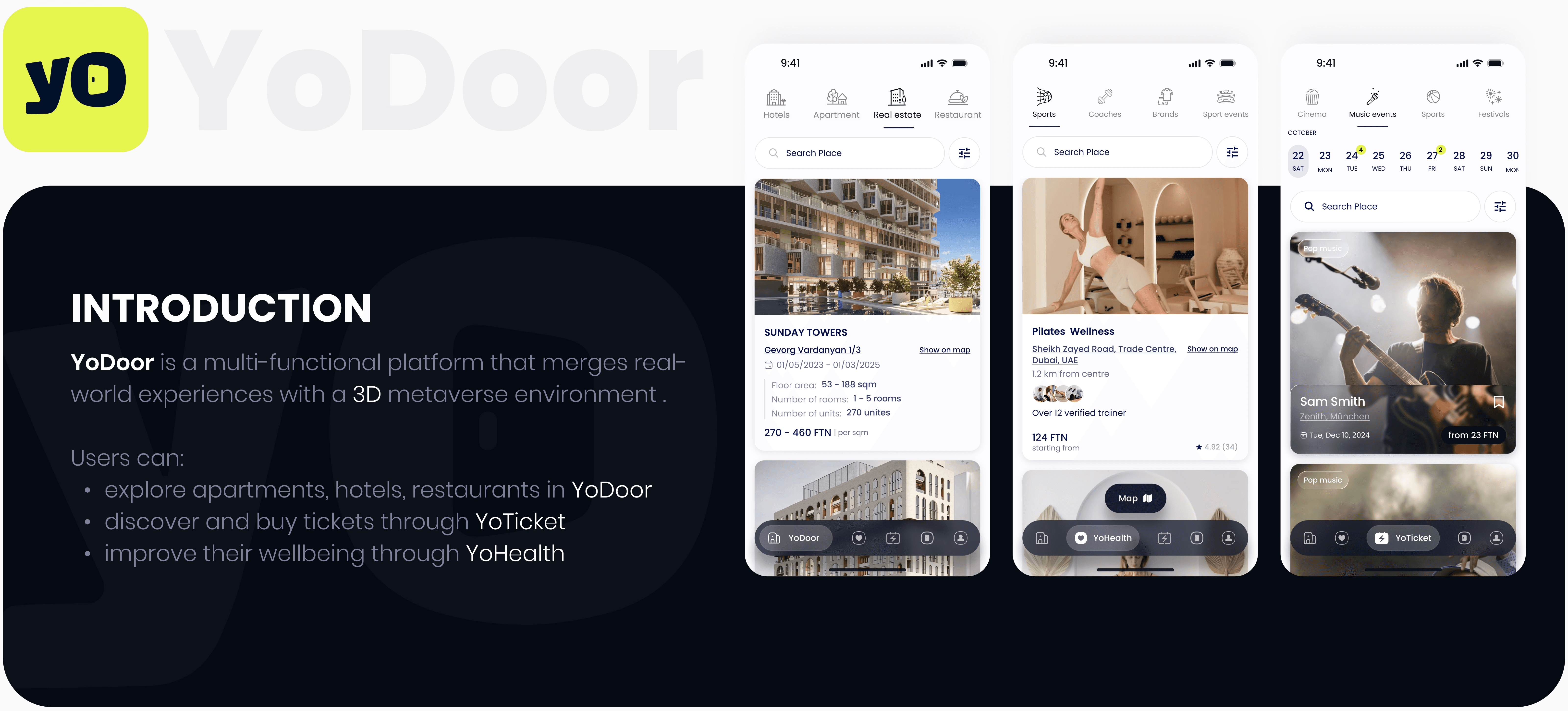
Despite this rich feature set, during moderated beta tests, we watched new users tapping around the app — confused, hesitant, unsure what each tab meant.
YoDoor is not a typical app. It blends three product worlds:
Real-estate
Entertainment
Wellness
…inside one interface. Since this is uncommon, relying on users to “guess what each tab does” simply didn’t work.
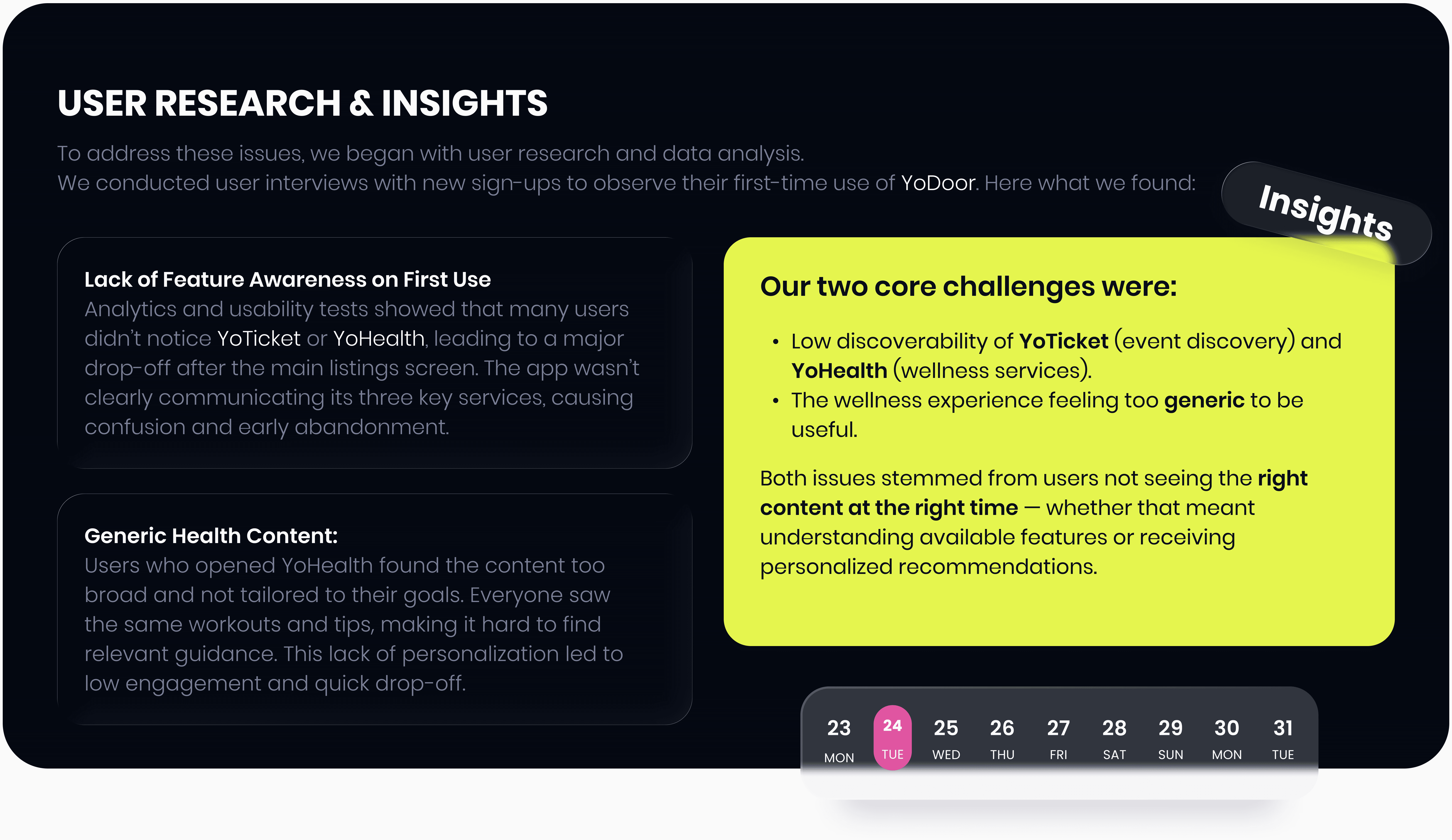
Many thought YoDoor was just a listings app and overlooked the YoTicket and YoHealth sections entirely.
And even when users found YoHealth, the content felt generic and irrelevant. We surveyed a subset of users who had abandoned the YoHealth tab. Their responses highlighted that the content felt too broad or advanced.
This case study tells the end-to-end story of how we addressed these challenges by redesigning the onboarding experience and adding a personalized intake flow – ultimately improving user awareness, engagement, and satisfaction.
Insights That Shaped Our Strategic Direction
We analyzed successful multi-feature apps and found that they introduce each key feature during onboarding.
This guided us toward a brief, guided intro-onboarding to highlight YoDoor’s three main components.
Research on leading wellness apps revealed that a more detailed, personalized onboarding process—even if it involves additional questions—significantly enhances user activation and engagement, as users respond better to content that is relevant to their goals rather than generic, unrelated material.
Design Goals
Our goals for the redesign were straightforward yet ambitious:
Educate New Users Quickly:
Ensure that on the very first app launch, users understand YoDoor’s three main offerings (YoDoor, YoTicket, YoHealth) and the core value of each. We aimed to communicate this within the first minute of use.Improve Feature Discovery:
Increase the percentage of users who engage with all parts of the app (listings, events, and health) in their first session. We wanted to guide users so they wouldn’t miss tabs or feel unsure what they do.Personalize the Wellness Experience:
Gather key personal information (e.g. goals, preferences, health background) through a friendly wizard so that YoHealth content could be tailored to each user. By doing so, make the user’s first-session content feel relevant and curated for them.Minimize Cognitive Load:
Design both the onboarding and the intake flow to be as simple and user-friendly as possible – using clear language, bite-sized steps, and visuals. Both flows should allow skipping or opting out at any point, so users never feel trapped.Boost Engagement & Satisfaction:
Ultimately, increase early-stage engagement metrics – such as feature comprehension scores, first-week retention, and user satisfaction (CSAT) – by addressing the above points. We set success criteria like improving first-session task completion rates and seeing higher repeat usage of YoHealth content.
With these goals defined, we proceeded to craft the solutions.
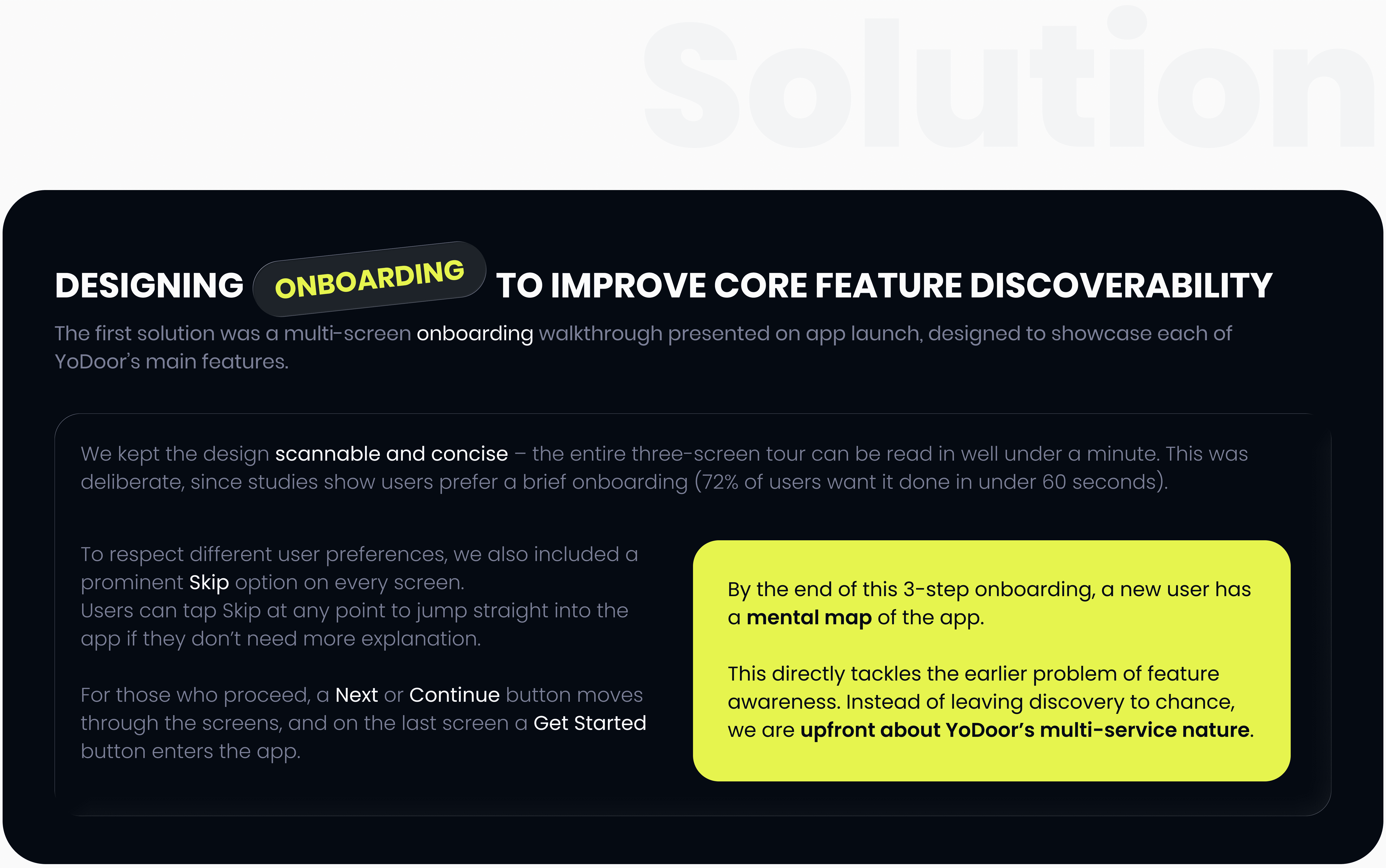
YoHealth Personalization Wizard
Our second major improvement was adding a personalized intake wizard to the YoHealth section.
After general onboarding (or when first opening YoHealth), users see a prompt to “Personalize your experience,” with the option to start or skip. The flow is optional but encouraged by explaining that a few quick questions help tailor their content and recommendations.

Testing & Results
After implementing the redesign solutions, we conducted several rounds of usability testing and A/B testing to measure their effectiveness. The improvements were evident in both qualitative feedback and quantitative metrics across all key areas.
Our testing methodology included:
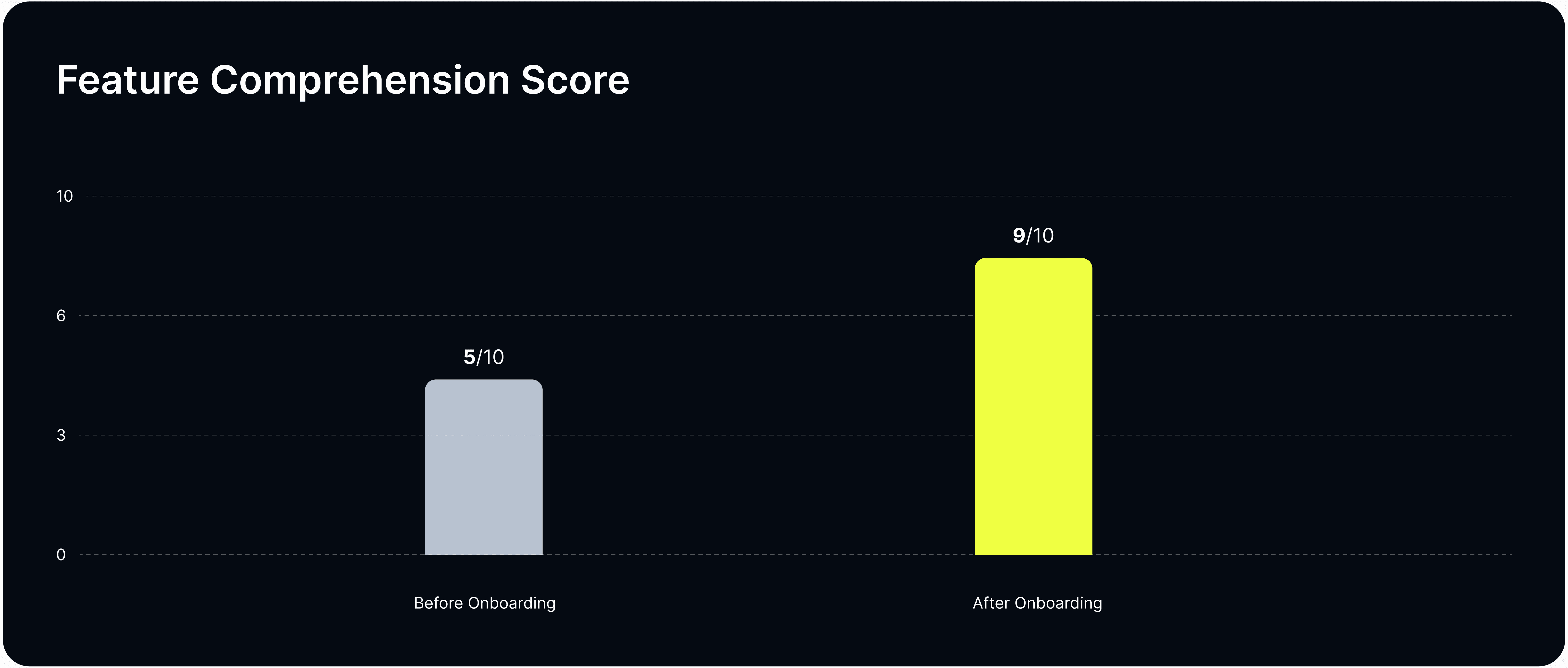
Feature Comprehension Score
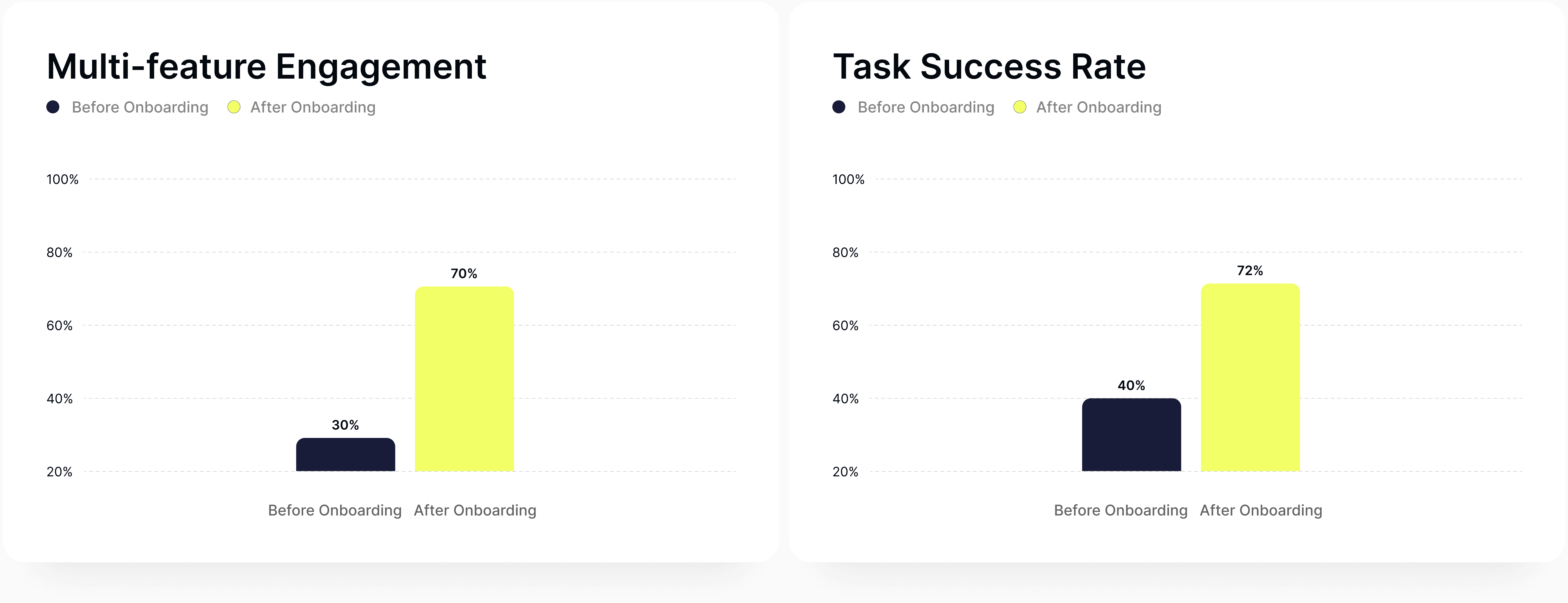
First Session Success Metrics (%)
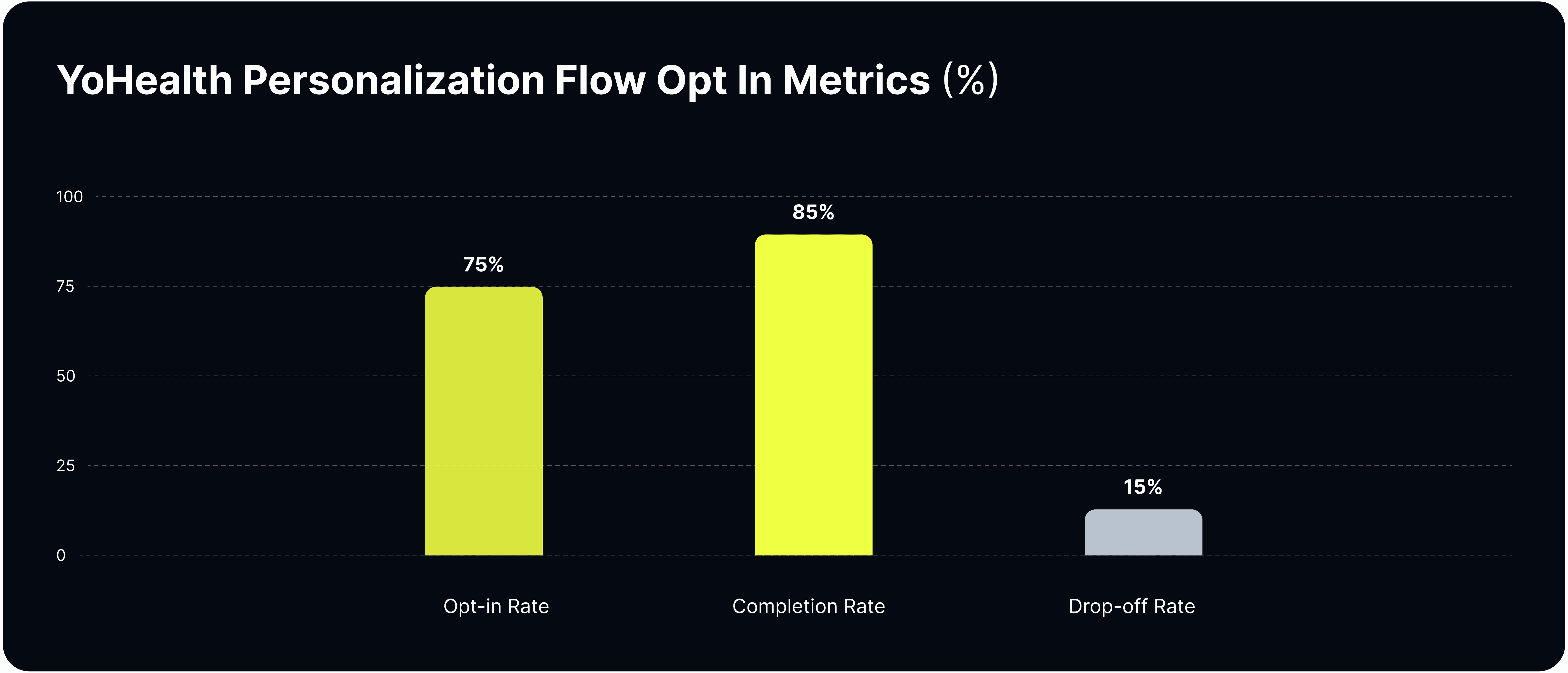
YoHealth Personalization Flow Opt In Metrics (%)
YoHealth Personalized Content Engagement Score
Results consistently showed that the onboarding walkthrough and personalization features successfully addressed the core issues of feature discovery and user engagement.
Feature Comprehension Score
Before: Average score of 5/10 - users only mentioned property listings and maybe one other feature
After: Score jumped to 9/10 - almost all participants could describe YoDoor, YoTicket, and YoHealth's purposes
First Session Success Metrics
Key Finding: 70% of new users now interact with 2+ features on Day 1 (up from 30%)
A/B Test Result: Onboarding group had 1.8× higher task success rate than control group
Users could navigate and complete tasks like "find an event" or "start a workout" much more readily
YoHealth Personalization Flow
Opt-in: 75% of new users chose to begin personalization
Completion: 85% finished the flow (15% drop-off, mostly at question 3)
Time: Median completion time of 2 minutes 20 seconds
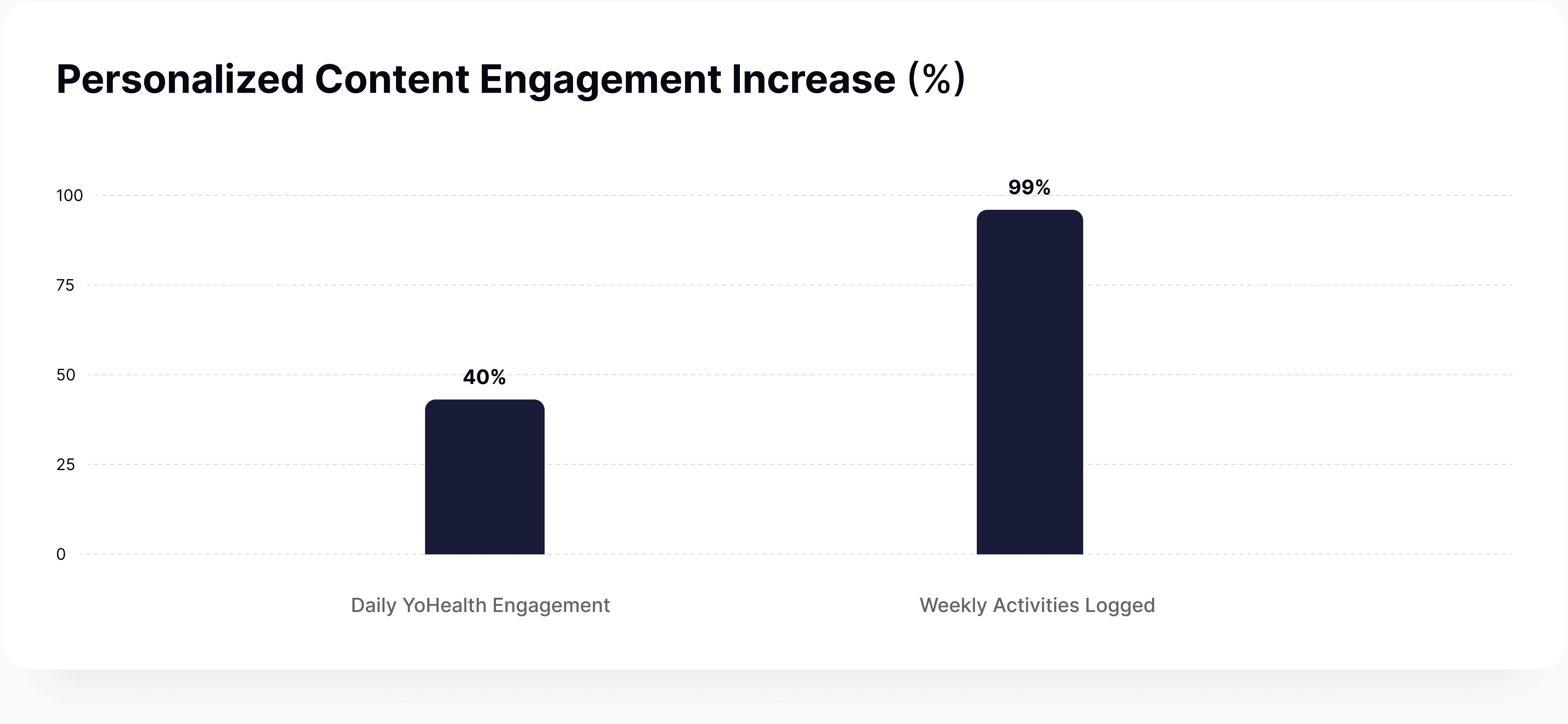
Personalized Content Engagement Increase
Daily Engagement: ~40% increase in YoHealth interactions (workouts, wellness tips) for personalized users
Weekly Activities: Personalized users logged 2× more wellness activities in their first week
Lessons Learned
Never Assume User Awareness: Users won't discover your app's value on their own. Communicate core value propositions clearly and early through onboarding.
Balance Clarity with Brevity: One punchy sentence per screen focusing on user benefits kept onboarding ~30 seconds—informative without overwhelming.
Personalization Can Trump Friction: Users tolerate extra steps when they see clear benefits. Transparency about why we ask questions made the intake flow feel like "we're building something for you."
Iterate with User Feedback: Testing phases caught confusing wording and polish issues. Small iterations based on user observations perfected the experience.
Measure What Matters: Early metrics (comprehension scores, task success rates, CSAT) objectively validated our work and showed good UX is good business.
This case study underscores a fundamental takeaway: when you align your design with user needs – be it through clear communication or personalized content – you create experiences that users truly love.