Fastbank App Redesign: Building Trust and Personalisation in a Banking App
Client
FastBank
Year
2025
In this concept project, I set out to explore how FastBank — a digital banking platform could evolve to meet the changing needs and expectations of modern users.
As the Product Designer, my goal was to reimagine the mobile experience by improving usability, enhancing user flows, and introducing innovative features that make everyday banking faster, smarter, and more intuitive.
Scope of Work
Introduction
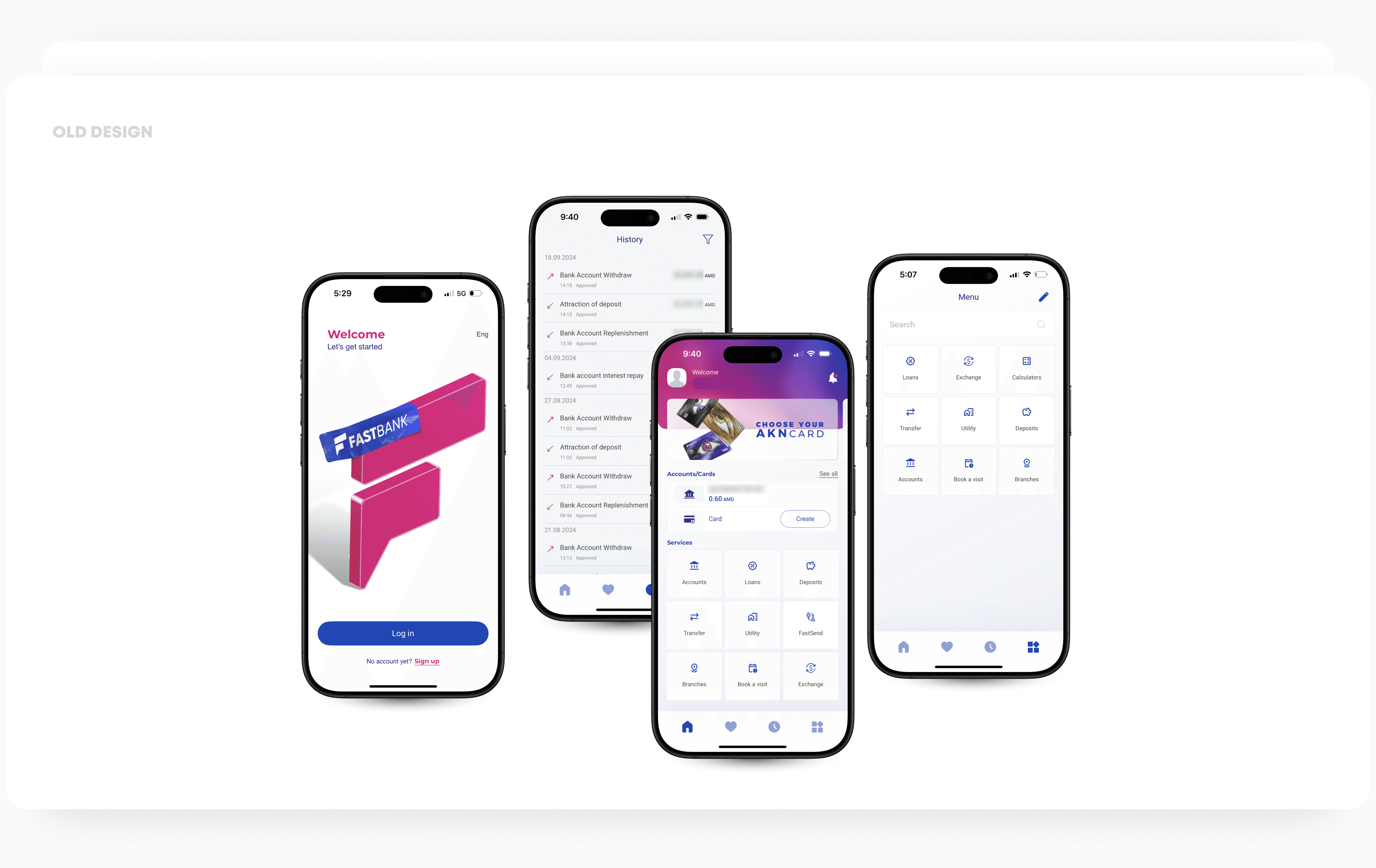
Fastbank is a fictional digital bank that launched a few years ago with a bright pink brand. The original interface looked fun, but the neon colours felt more like a social‑media app than a place to manage money. User research showed that many customers associated the pink palette with fragility and informality and were hesitant to trust the app with large transfers.
Another pain‑point was the static home screen; every user saw the same dashboard regardless of which features they used regularly. Customers had to scroll through menus to transfer funds, pay bills or check loan repayments, and there was no way to pin frequently used actions. These shortcomings motivated a holistic redesign that would make Fastbank feel trustworthy and allow people to tailor their banking experience.
Competitor and Industry Research
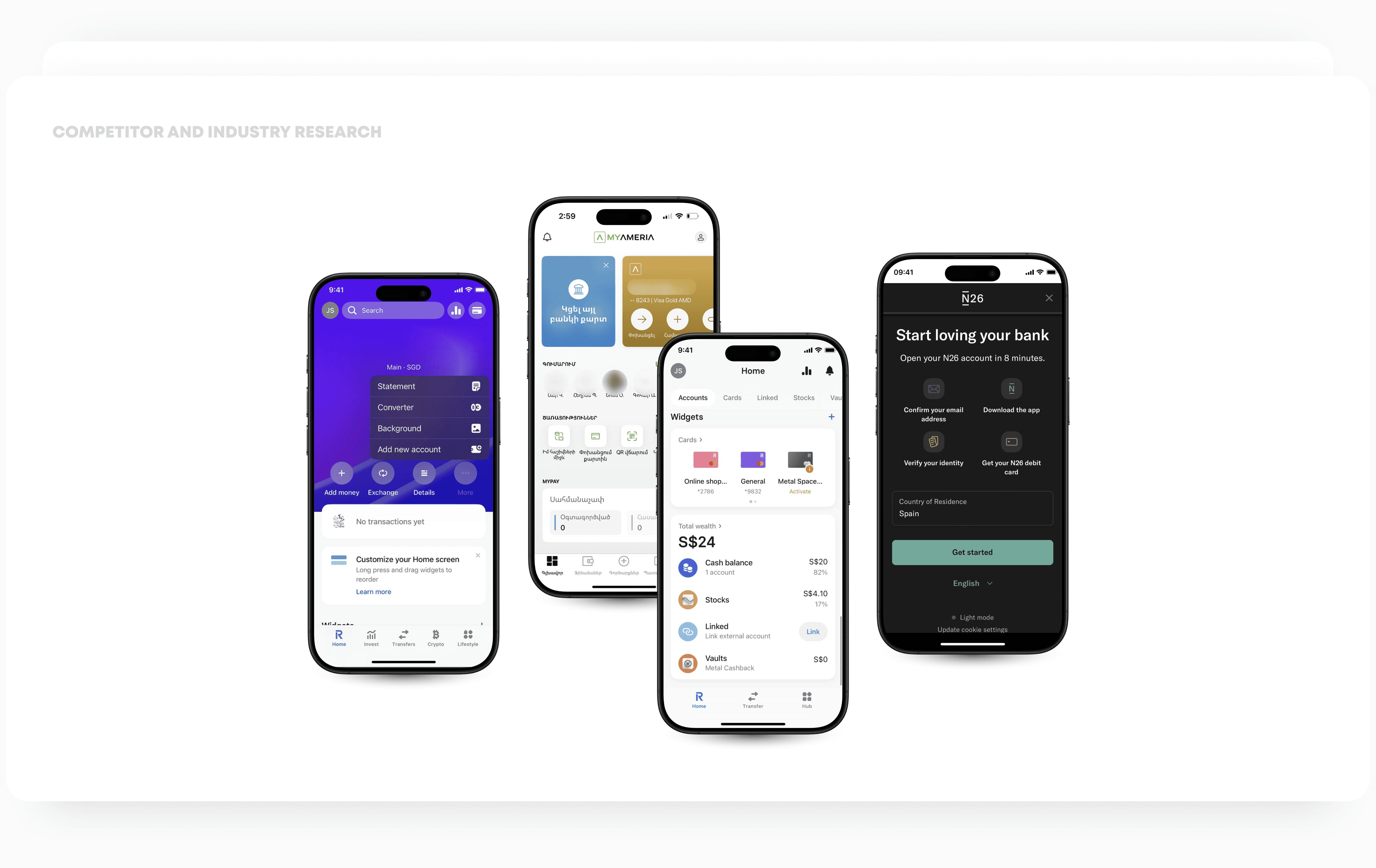
To ground the redesign, the we analysed several neobanks and incumbent banking apps. We explored how leading products handle personalisation, navigation and branding, and looked at colour psychology for finance.
Revolut – personalisation and pinning features
Revolut’s 8.0 update introduced a customisable home screen where users could pin or unpin features and quickly find anything else via a smart search bar. This step toward hyper‑personalisation highlighted how giving people control over their dashboard simplifies complex product ecosystems.
Monzo – home screen visibility and control
Monzo’s 2023 redesign replaced a one‑size‑fits‑all dashboard with a single activity feed. Users can reorder or hide accounts and “Pots” and use a plus button to surface extra features.
N26 – distinctive palette and brand consistency
N26’s 2018 rebrand emphasised colour rather than customisation: a palette of teal, golden wheat, rhubarb and petrol blue helped the bank avoid generic blues and reds and differentiate itself as a lifestyle brand.
User Research and Problem Definition
We began by running surveys and interviewing Fastbank customers. The research revealed two dominant themes:
Lack of trust: 63 % of participants said that the app’s pink colour scheme felt “too playful” for banking. Several respondents reported feeling anxious about transferring large sums because the design resembled a game rather than a bank. When we asked what colours felt more secure, most suggested blues or greens.
Navigation friction: Users wanted quicker access to their everyday tasks. They often had to drill down several screens to transfer money or pay bills. 70 % of participants said they would like to rearrange or pin their most used actions on the home page.
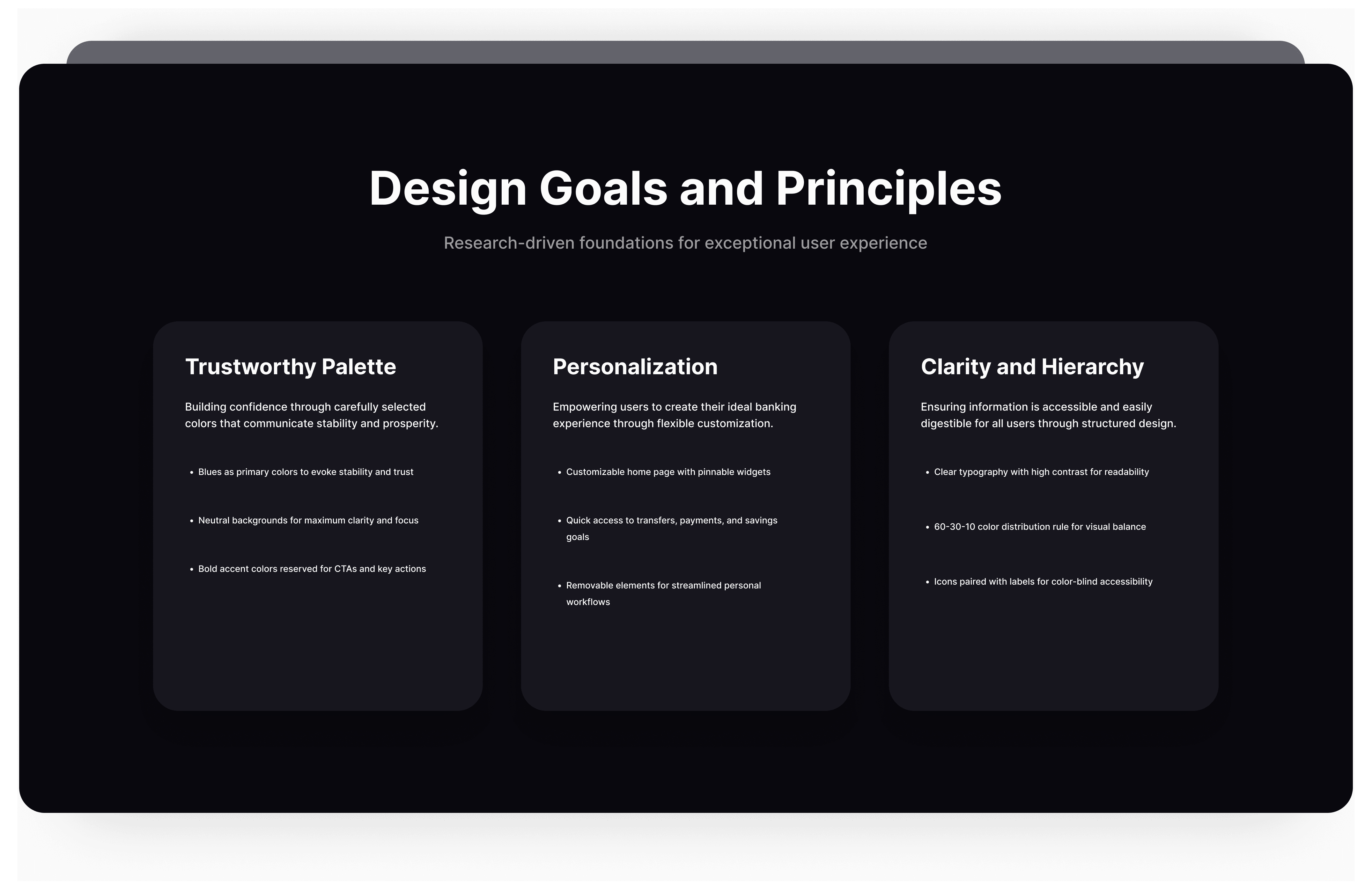
Together with the competitor insights, this research defined our design goals: build trust through a new visual language and give people control over the home screen.
The Redesign
The new Fastbank identity centres on a primary navy blue colour symbolising trust.
We paired it with a green for positive actions (e.g., money received or success send), a warm brand pink remains only as accent and attention, and neutral greys for backgrounds and typography. This palette balances neutral and bold colours and ensures sufficient contrast for readability.

Customisable Home Page
Inspired by Revolut and Monzo, the home page now consists of Customisable widgets. Users can:
Pin common actions such as Fast Money, Pay Bills, Deposit Cheque, Add Funds, etc..
Customizable Bottom Sheet allows users to drag widgets to a new position or remove them entirely
View notifications and reminders such as upcoming bills or personalised parking reminders.
The card layout follows our new colour palette. Primary actions use brand blue backgrounds with inverse foreground; secondary actions appear on light grey cards with brand navy blue foreground. This distribution follows the 60‑30‑10 rule—60 % of the interface uses neutral backgrounds, 30 % uses secondary colours, and 10 % uses accent colours for calls to action.

Prototyping and Testing
We created high‑fidelity prototypes in Figma and built them into a TestFlight beta build so that testing could occur on real devices. Using this TestFlight version, we conducted three rounds of moderated usability testing with a total of 20 participants. Participants were asked to complete core tasks in the existing app and in the beta build. We measured task success rate—the percentage of participants who could complete a task without external help—and time on task in seconds. Because the sessions were moderated, we also captured qualitative insights such as where participants hesitated or commented on the interface. The main tasks were:
View account balance
Send money to a saved contact
Pay a utility bill
Change the order of home‑page widgets
In the original app, users could easily check their balance but struggled to locate the transfer and bill‑payment functions because they were hidden behind menus. Some participants also reported that secondary features were buried deep in navigation and were difficult to discover.
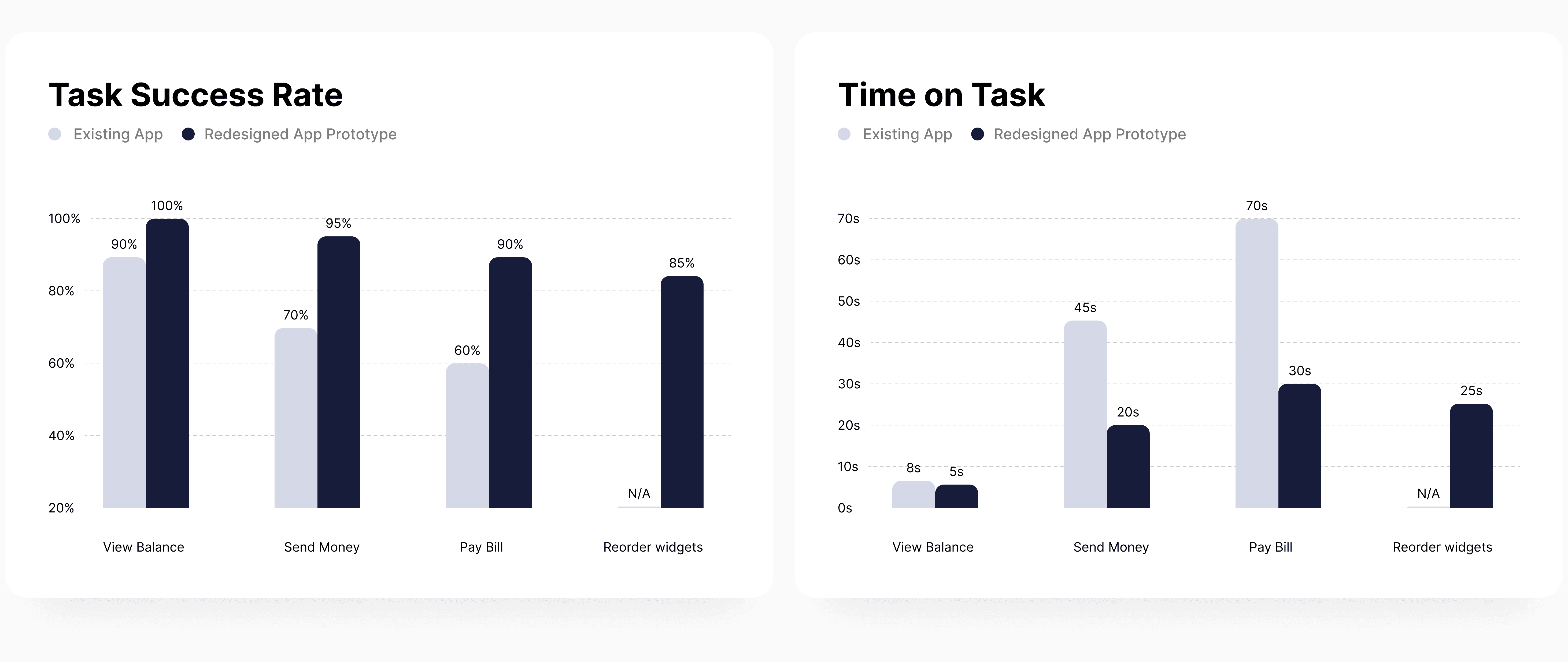
Participants appreciated being able to pin transfer and bill‑payment cards at the top of the home screen. They completed tasks faster because relevant actions were visible on entry. Even the new task of rearranging widgets had a high success rate once people learned to long‑press and drag. Overall, task success rates improved dramatically and average time on task fell by roughly half, indicating both effectiveness and efficiency gains. Comments such as “I love that I can make it my own” and “This feels like a real bank now” captured the qualitative impact.
Customer Satisfaction (CSAT) Survey
After completing these task scenarios, participants also filled out a short customer satisfaction (CSAT) survey. They rated their overall satisfaction with the app on a 5‑point scale and provided open‑ended feedback. The average CSAT score for the existing Fastbank app was around 3.2/5, reflecting ambivalence about the playful visuals and navigation friction. In contrast, the redesigned TestFlight build achieved an average CSAT of 4.6/5, with many respondents praising the personalisation features and the calming colour palette. These survey results complement the quantitative metrics, showing that the redesign not only improved task performance but also increased users’ emotional satisfaction.

Design System
Building for Consistency and Scale
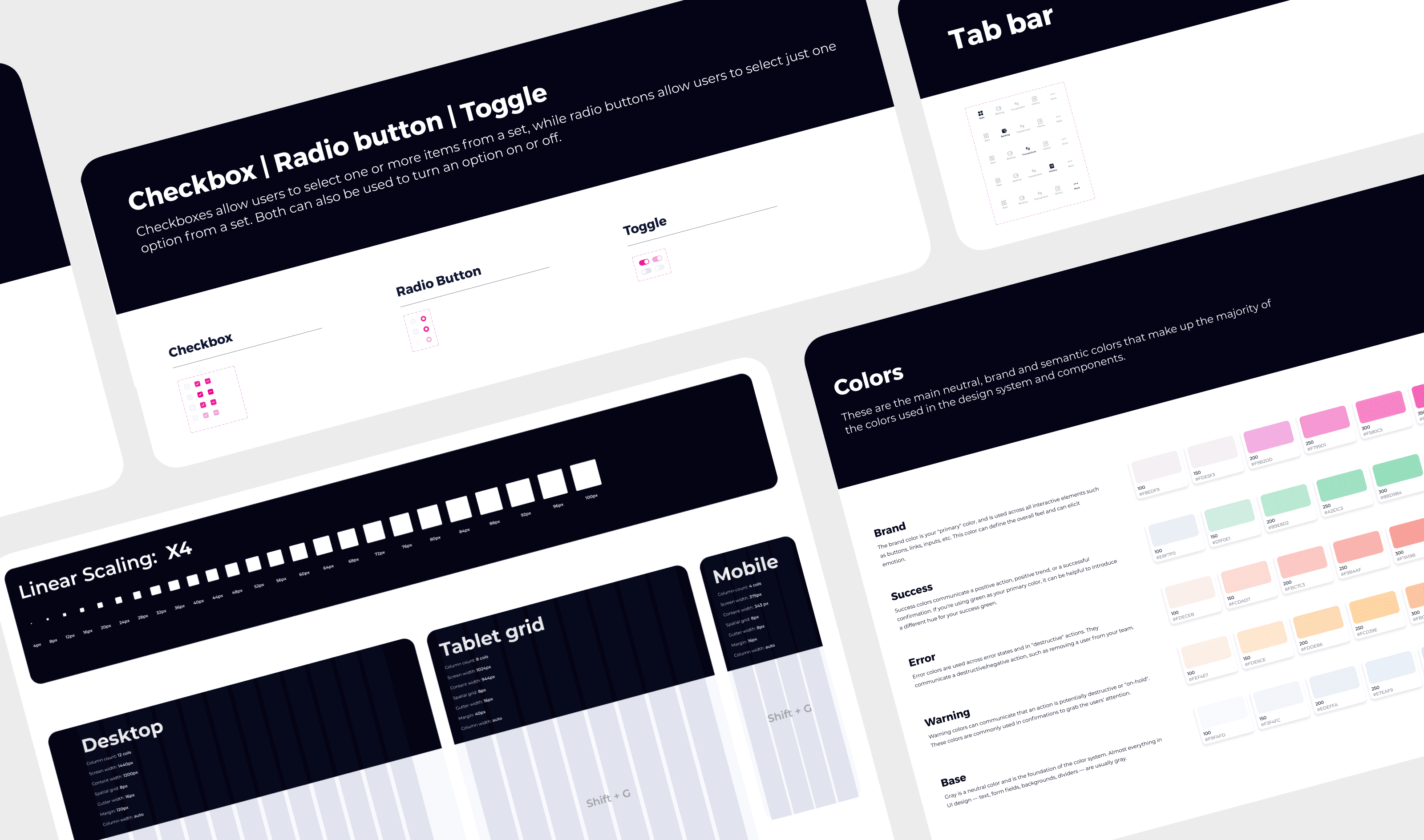
To support the redesign and future product growth, we invested in a design system. A design system is more than a style guide; it is a centralised collection of design and code decisions that every team uses to build interface components. It contains reusable building blocks (buttons, cards, forms), colour and typography tokens, and detailed guidelines for interaction and accessibility. By codifying these decisions up front, the team ensures that every screen uses the same patterns and that new features can be assembled quickly without reinventing basic components. A design system helps organisations scale and maintain consistency because it centralises UI decisions and allows teams to focus on solving user problems rather than debating how a button should look. It also improves maintainability since fixes or improvements made in the system propagate to all products.
Our design system for Fastbank lives as a Figma library and a set of front‑end components. Designers use tokens for colours, spacing and typography, ensuring that the ocean‑blue palette appears consistently across modules. Developers consume ready‑made React components and CSS variables, speeding up implementation and reducing bugs. This shared language between design and engineering has already paid dividends: new widgets are built by composing existing components, and updates to accessibility rules are applied globally.
Lessons Learned
Colour matters: Changing the palette from playful pink to navy blues and greens aligned Fastbank with users’ expectations of a trustworthy bank.
Empower users: Letting people organise their home screen improved navigation and gave a sense of ownership. Competitor patterns such as Revolut’s pinning and Monzo’s reorderable sections provided inspiration.
Balance innovation and guidance: Although customisation is powerful, features need onboarding. The prototype included a short tutorial and contextual tips (e.g., showing the long‑press gesture), which increased the success rate for reordering widgets.
Measure both success and efficiency: Task success rate alone can hide frustration. Measuring time on task revealed that some actions improved drastically in speed, which correlates with better user satisfaction.
Conclusion and Future Work
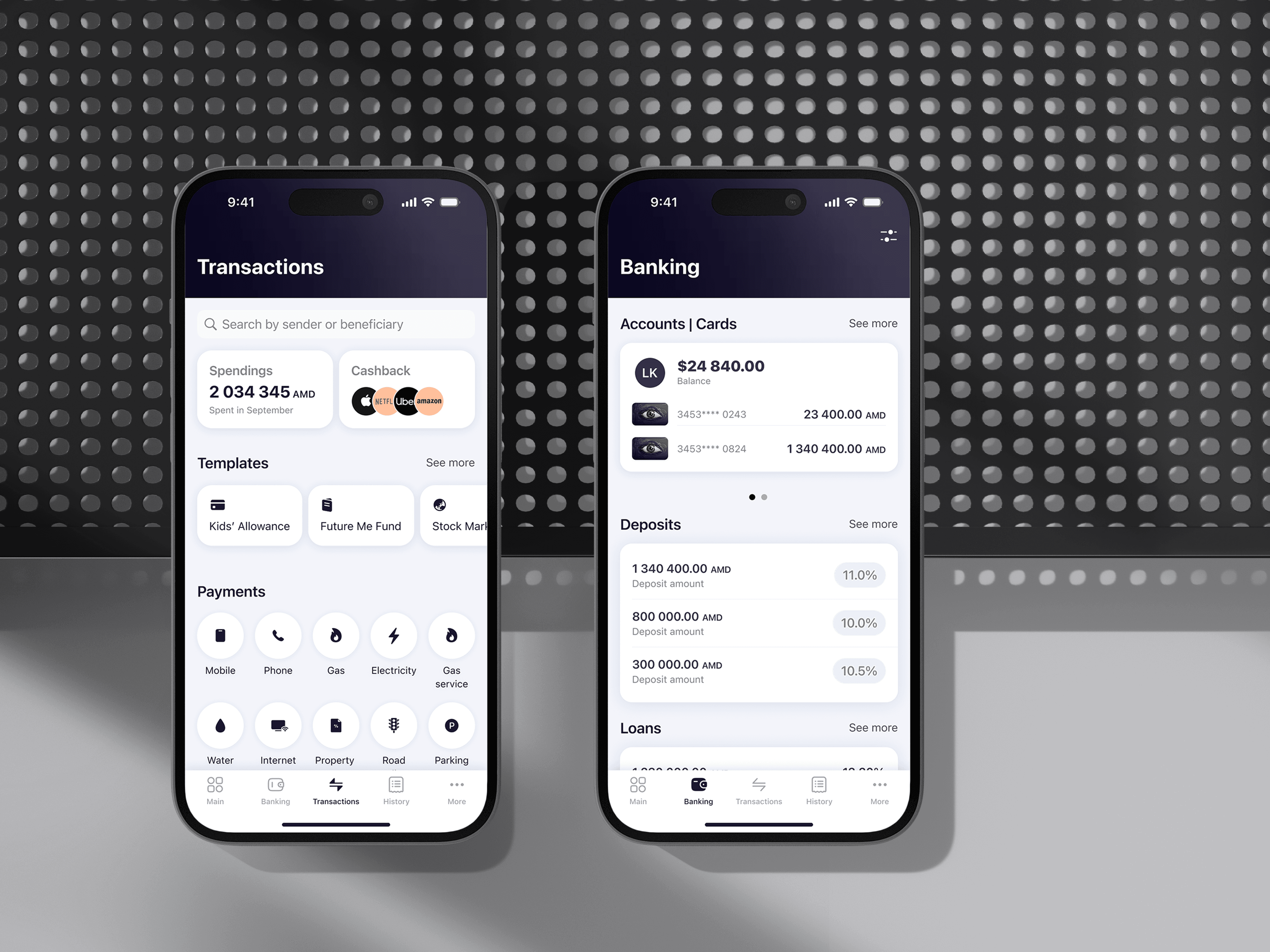
The Fastbank redesign demonstrates how trustworthy visuals and personalisation can transform a banking app. By replacing a whimsical colour scheme with a palette grounded in colour psychology, we aligned the brand with user expectations of safety. By introducing customisable widgets, we empowered customers to tailor their dashboard to everyday needs, reducing cognitive load and time to complete tasks. Usability testing confirmed significant gains in success rates and efficiency, and early analytics indicate higher engagement and satisfaction.
Future iterations will explore AI‑driven recommendations that suggest widgets based on usage patterns, further aligning with the hyper‑personalisation trend. We also plan to integrate budgeting insights directly into the home screen and continue monitoring accessibility to ensure the app remains inclusive.
Most importantly, Fastbank will keep listening to customers and learning from industry leaders so that our product remains not only functional but truly lovable.